For anything with a UPC on the package, scanning the barcode is the fastest and most accurate way to log it — there's no AI estimation involved.
The flow
- From the Today tab, tap the + button to open the capture sheet.
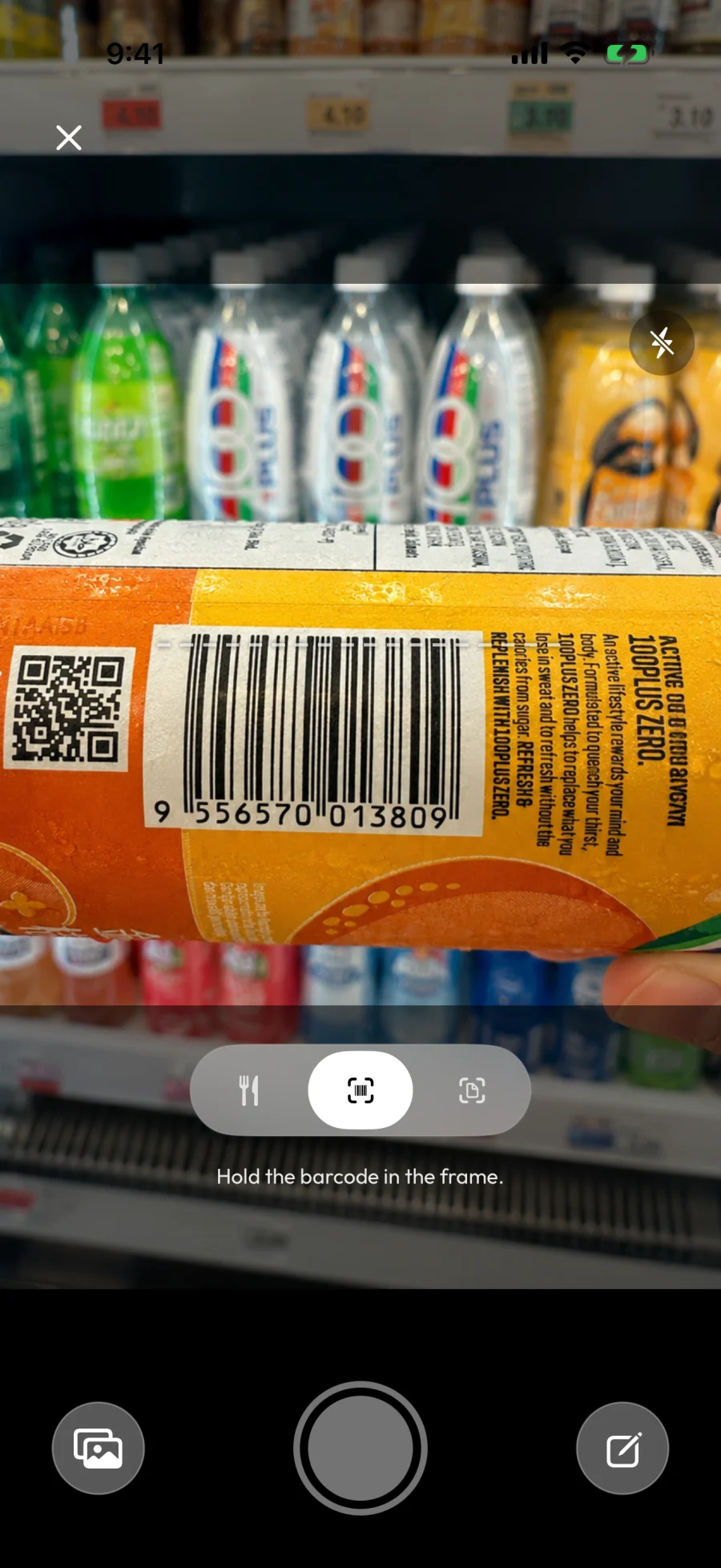
- Switch the scanner mode at the bottom to Barcode scanner. The prompt at the top will change to "Hold the barcode in the frame."
- Point your camera at the barcode on the package. Hold steady until the scanner detects it (usually instant).
- Finding nutrition details... appears for a moment while we look up the product.
- The product opens in the meal editor with its name, portion (per the label), and full nutrition pre-filled.
- Adjust the portion if you ate more or less than the label's serving size, then tap ✓ to save.
How the lookup works
When you scan a barcode, BeforeIBite checks external food databases for a match. Coverage is strongest for widely-sold packaged products and thinner for local store brands and very new items.
Like every in-app request, the lookup is sent to BeforeIBite's server signed in to your account. From there, only the barcode number is passed on to the external food databases — they never receive your account, your meal log, or anything else about you. See What data does BeforeIBite collect? for the data details.
When the barcode isn't recognised
If no database has the product, you'll see a "Product not found" screen. This happens most often with:
- Local store brands and regional products that aren't in the global database
- Newly launched products that haven't been added yet
- Bulk-bin or fresh-counter items that don't have a real UPC
You have two good fallbacks:
- Scan the nutrition label instead — see Scan a nutrition label. The OCR reads the panel directly, no database needed.
- Type the name — see Log a meal by typing the name. Useful for fresh or unpackaged items.
When the result needs adjusting
Barcode results are usually accurate for the per-serving values printed on the label, but the serving size on a package is rarely how much you actually ate. After the lookup, adjust the portion in the meal editor — see Edit or correct a logged meal — before saving.
Sharing a packaged dish
If you split a packaged item with someone — half a tub of yogurt, a packet of chips shared between two people — log the full package first, then use the split-dish flow. See How to log shared meals.